SoapySDR
SoapySDR is a powerful tool by Pothosware. It enables most SDRs to be controlled by many programming languages such as C, C++, Python and more. Access to SDRs through a common library enables complex projects. SoapySDR will be used in all the code-based examples.
SoapySDR has a build guide for setting up the library. This tutorial will walk through it for Ubuntu.
Installing Dependencies
This is a simple step. Run the following commands depending on which version of Python you are using.
Ubuntu with python2:
sudo apt-get install cmake g++ libpython-dev python-numpy swig
Ubuntu with python3:
sudo apt-get install cmake g++ libpython3-dev python3-numpy swig
Installing the Source Code
Clone a copy of the repository onto the computer. Run this command from a directory that makes sense (Downloads, Documents, Home). The repository files can be deleted after installation is finished.
Clone the repository and enter the created directory:
git clone https://github.com/pothosware/SoapySDR.git
cd SoapySDR
Now from within the repository, the files can be built and the library installed.
mkdir build
cd build
cmake ..
make -j`nproc`
sudo make install -j`nproc`
sudo ldconfig #needed on debian systems
SoapySDRUtil --info
If the command SoapySDRUtil --info produced an output like shown
below then the installation is complete!
######################################################
##     Soapy SDR -- the SDR abstraction library     ##
######################################################

Lib Version: v0.8.1-gfbf9f3c3
API Version: v0.8.200
ABI Version: v0.8-3
Install root: /usr/local
...
Modules
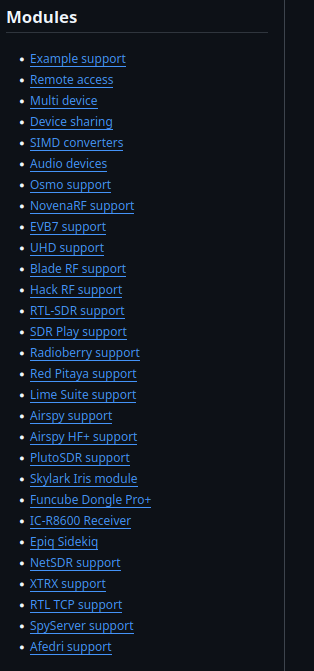
The Setup isn’t necessarily complete! The base library does not include drivers for particular SDRs. To add support for an SDR family, the correct module will need to be installed. The process is fairly similar to building the base library: cloning the module’s repository, building the files, and installing them.
Available modules are listed on the wiki,. A side panel in the document lists links to the available modules.